
So what is an effects rack and what does it do? Effects Rack is an audio effect that let's you control more than one effect or device parameter at ounce. That means that by controlling one single knob you can for example change the volume, add distortion or increase feedback on your delay at the same time.



Select audio effects rack from the audio effects menu and drop it into your work channel. You can apply effects racks to every type of channels in Live: audio, midi, send as well as the master channel. Follow the steps in the video to create your first effects rack.
 Ableton Live project files require live version 8 or higher.


Full of hypnotic drum grooves and driving synth sequences.
Learn how to create and play live sets using ableton.
Subscribe:
To get you started in this tutorial you will learn how to create your first bassic effect: high frequency cut filter from scratch. Although this example is super basic i think you will see the possibilities that effects racks can provide for your music poroduction workflow.
Effects racks really saves you time in a long run,especially in the mixing and finalizing stages of your work.
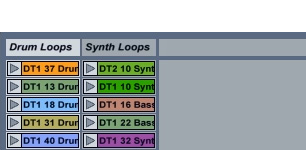
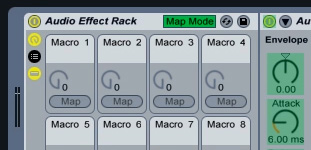
In the last couple of the years by using the same steps as shown in the tutorial i've created separate effects racks for different roles. As a bonus i've included my favorite effects rack with this project for free. It is a real swiss army knife and works great especially in dj and live sets.
It has all the classic effects in one nifty package and i think you gonna like it. If you have any questions about this project you can drop me a line here.

 Share this this page with your network on